Archive for August, 2009

Wikipedia

Saturday, August 22nd, 2009

im08Wikipedia, the free internet encyclopedia that anyone can edit, was started by Jimmy Wales and Larry Sanger in 2001 with the goal of “collecting and summarizing all human knowledge in every major language.”  As of August 2007 the English version of Wikipedia was large enough that, if it was converted to actual encyclopedia books, it would have 1,250 volumes each containing 400 pages each (not including the images).  This may not be all of human knowledge but it could be an impressive start.

Wikipedia is not without flaws and critics.  Among the criticisms is that because it is written by anonymous volunteers there is no way to assure the validity of the entries.  There have also been incidents of vandalism to entries and downright inaccuracies.

Over the years Wikipedia’s editing policies have changed in response to these criticisms.   They’ve gone from allowing anyone to edit anonymously to requiring “authentication” to requiring that edits to certain articles be verified by an experienced volunteer.  There will probably continue to be changes to the Wikipedia Editing Policy.

Regardless of all the controversies, no one can dispute the amazing size of the online encyclopedia or how easy it is to use.  So give it a try today and see what you think.

Google Earth

Thursday, August 20th, 2009

im07Google Earth is a free download from Google that offers a unique, interactive, dynamic globe that’s created using satellite photos and electronic data from all kinds of resources.  Lets say you want to check out a friend’s new house in Washington D.C. By typing in the address you can zoom right in on a satellite photo of their house that you can then move around.  You can search their neighborhood for restaurants, schools, libraries, gas stations, whatever you want.  But that’s not all, next you could add layers to the satellite photo that would tell you things like voting district borders, real time traffic speeds, crime statistics, all kinds of stuff.  You can even find YouTube videos, streaming webcams and photos of neighborhoods.  Try checking out the 3-D renderings of whole cities and, if you go to places like the Grand Canyon you can view the terrain in 3-D.

It’s an amazing integration of information in an easy to use interactive format that has to be experienced.   If you need some help getting started try searching YouTube for “Google Earth Tutorials.”

For a little fun don’t forget to try the flight simulator that’s in the program.  Once you’re in Google Earth press:  CTRL+ALT+A to access it.

Dr. Calculator

Sunday, August 16th, 2009

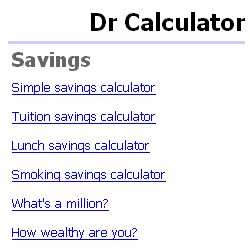
im06DrCalculator.com has a collection of calculators that would be of help to just about anyone.  Most of them are for personal finance.  For example, try the Simple Savings Calculator to experiment with compound interest or experiment with the Basic Mortgage Calculator.  There are also some novelty calculators like the calculator for how much you’ll save by bagging lunch or the Cost of Living Calculator.  There’s also some calculators for health issues like the Body Mass Calculator.

Why not take a moment to improve your financial knowledge by playing with the online calculators at DrCalculator.com?


Free Rice

Saturday, August 15th, 2009

im05FreeRice.com was created by John Breen who also created Poverty.com and The Hunger Site. These sites are dedicated to increasing awareness of worldwide hunger and giving people a way to make a difference. At Freerice.com you can practice your English vocabulary through a game and for each question you get right you donate 20 grains of rice to the hungry.  Don’t like vocabulary?  Just click change subject and try artgeography, chemistry, mathematics, or something else.   The web site, and the rice is paid for by the advertisements that appear on the bottom of the screen. So click away!

Does this all sound too good to be true? Check it out at Snopes.com, UrbanLegends.com, About.com, or Time.com.

Local.Alkemis

Thursday, August 13th, 2009

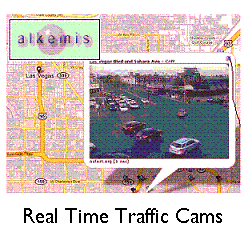
im04Local.Alkemis.com is a website that offers lots of local information, including access to traffic cameras in cities all around North America and even a few cities around the world. Alkemis.com has several projects underway with this mapping system that combines Google Maps, live traffic cams as well as Yahoo Traffic, Weather radar, local news, Fandango movies, even local subway maps where possible. An amazing experiment in combining multiple forms of data into an integrated and functional website. Keep checking back as they develop more and more information for cities like: New York, Washington, Las Vegas, Toronto, Los Angeles, Dallas, Boston, London, and Dublin. Here’s a link to all the cities they cover: http://local.alkemis.com/local/index.htm#infoDiv

This site is one to watch for future developments!


Be Funky

Wednesday, August 12th, 2009

BeFunky.com is a great website for manipulating pictures online.  You can take any digital picture and turn it into a black and white or color cartoon drawing.  Have fun with a photo of a friend.  Add a text box and turn your favorite photos into a comic book story.  There are also several easy to use online editing tools.

im03image3

You can also use BeFunky.com to create a uvatar and they’re working on a video cartoonizer.
Try it, you’re bound to get more creative!

The Skyscraper Page

Monday, August 10th, 2009

im02The SkyscraperPage.com offers a unique collection of diagrams of over 21,000 skyscrapers from cities all around the world.  The diagrams are made by over 600 contributers and they are displayed in a variety of ways.  You could view the world’s tallest buildings or the tallest buildings that are under construction.  Check out all the skyscrapers in a single city like:  New York, Tokyo, London, Chengdu, Buenos Aires, Hong Kong, Dubai, Las Vegas, or any other city in the world.  Did you know where most of the world’s tallest buildings were built?

This is an amazing website and even if you have absolutely no interest in architecture, anyone who’s ever seen a skyscraper in any city can appreciate a chance to see them lined up by size for once.  If you are an architecture enthusiast or an illustrator you might want to learn more about the illustrators association. Finally, they also sell posters of skyscrapers which you might like to check out.


Google Moon

Sunday, August 9th, 2009

im01

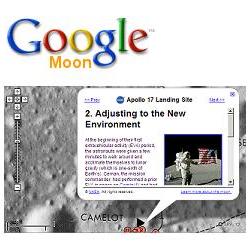
Google Moon gives you an opportunity to explore our moon.  See the locations of the lunar landings and hundreds of pictures from the Apollo Program.  Zoom in using the slider on the left of the screen.  Hold the left mouse button down to move around the surface of the Moon.  As you zoom in on the sites of the Apollo landings you’ll start to see more and more detail.  Across the bottom of the screen you’ll see actual pictures from the Apollo missions.  In the upper right there are buttons to change to experiment with that offer detailed charts, elevation maps, locations of the Apollo missions and satellite images of the moon.
Google Moon was created through the cooperation of Google and the NASA Ames Research Center.  You can learn more about how Google Moon works at:  http://www.google.com/moon/about.html


Welcome

Monday, August 3rd, 2009

imfirst

Internet moments, for when you have a moment to explore the internet.